
Monero Mining Started May 10, 2026 2:55 PM

I need help setting up a SOLO-MINER setup (xmr-wallet-gui.exe & monerod.exe)

1 replies - 17 views - 0 thanks - 0 tippers - 2 watchers

May 10, 2026 2:55 PM
#1

Hello everyone,

I want to use xmr-wallet-gui.exe and monerod.exe to store the Monero blockchain locally on my computer so that I can start "solo mining" in the next step.

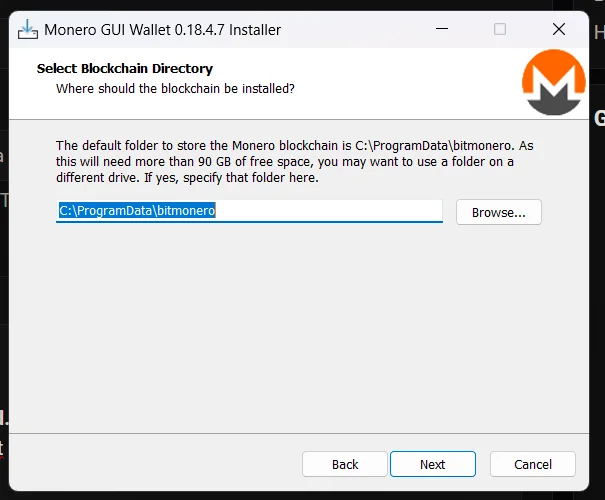
  1. I am starting monero-gui-install-win-x64-v0.18.4.7.exe
  2. I'm installing it at this location

    3.I open the "Monero GUI Wallet" folder. (C:\Program Files\Monero GUI Wallet)
    4.I right-click on an empty space in the folder and select: "Open in Terminal"
  3. I enter the following command in the terminal:".\monerod.exe --prune-blockchain --p2p-bind-port 18082. Because port 18080 is occupied. Then I get the following output
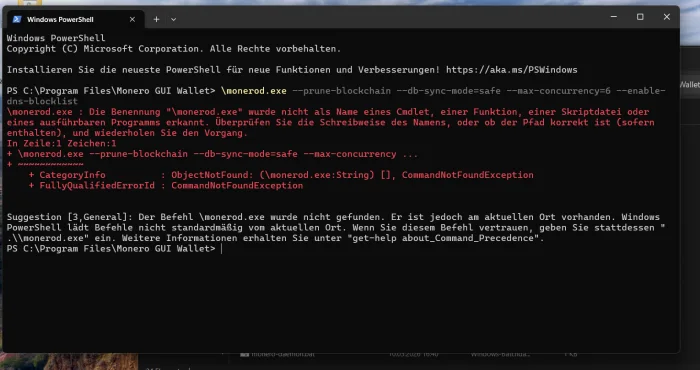
=> However, I want to set it up so that when I start monerod.exe, the Monero blockchain is synchronized directly.
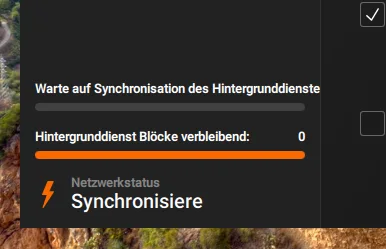
This synchronization seems to never end.

Thank you for any helpful answers.

0 thanks - 0 tippers - 2 watchers

Replies

Page 1 of 1 - 1 total
May 10, 2026 6:22 PM Edited May 10, 2026 6:23 PM
#2

I'm not sure why you are binding to 18082. 18080 is for mainnet.
When you are running the gui you are already running monerod (assuming you selected this in the options), so when you go into powershell you are starting a node on top of your node, hence the error.
Does your GUI show that you are syncing to the network? If you are running an older computer or a hard disk drive it will take a long time.

0 thanks - 0 tippers

Post A Reply

You must be logged in to reply. Login or register.